A quotes, contracts and invoices app for freelancers
Send a client a polished quote in two minutes, then track the project and the payment once it's approved. Goodbye spreadsheets.
 The GOAT team@goat · Recipes
4 steps
5 min
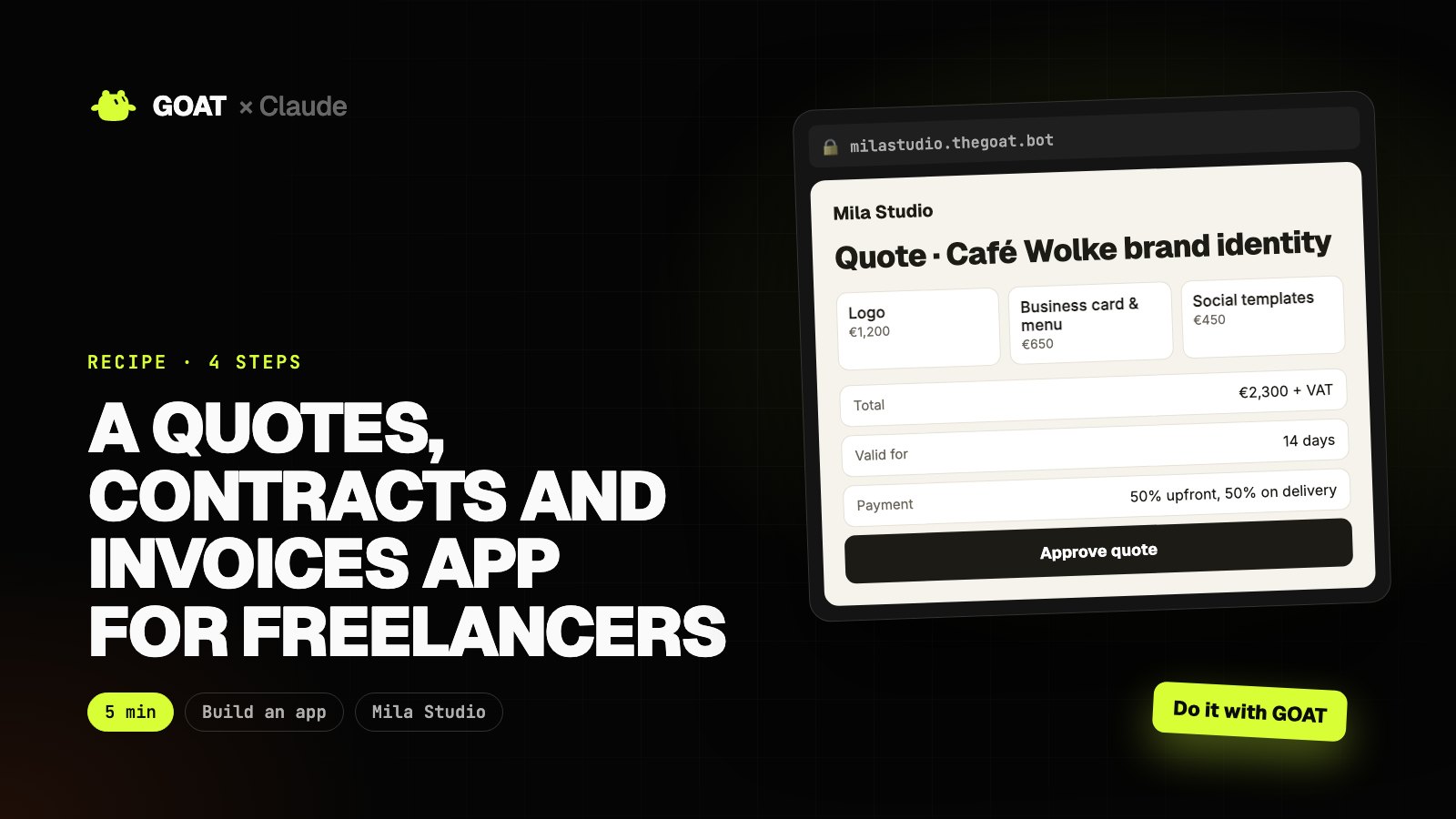
This recipe is written for a freelance designer in Berlin, but the same steps work for any business: just describe yours.
GOAT builds and publishes the app from one prompt. Then you add any feature with Claude Code, and GOAT prepares the launch content. Every prompt has two buttons: Do it with Claude and Do it with GOAT.
Before you start
You need
- A GOAT account. Building and publishing use your account's credits.
- Claude Code (for step 2). You can do the other steps from the GOAT chat.
Connect GOAT to Claude
- In your terminal:
curl -fsSL https://www.thegoat.bot/cli/install.sh | bash - Then
goatbot login. You approve in the browser; GOAT is added to Claude Code automatically.
Step 1. Build the app with GOAT
What it does
- Turns your request into pages, data and design.
- Builds the app and publishes it at its own address.
Build a quotes and invoices app for my freelance design business.

- Service catalogue: logo, brand identity, social templates, web design; with prices
- Create a quote: client, line items, validity, payment plan; it goes to the client as a link they approve with one click
- An approved quote becomes a project: milestones, due dates
- Payment tracking: pending, overdue, paid
- Clean, professional, black and white
 GOAT · Chat
Example view
- Pages, database and admin dashboard set up
- Mobile-friendly and bilingual
milastudio.thegoat.bot
Example view
Quote · Café Wolke brand identity
Step 2. Tailor it with Claude Code
What it does
- Pulls the code to your computer, adds the features you want and ships with one command.
First run goatbot app pull milastudio in your terminal, and goatbot app deploy when you're done. In between, tell Claude Code:
Make these changes in this app:
1. When a quote is approved, generate a simple service contract (client and items filled in), downloadable as PDF.
2. Prepare a polite reminder email draft for payments more than 3 days overdue (don't send).
3. Show this month's earnings and outstanding payments in the dashboard.
Keep the design, and explain the changed files when you're done.
● When a quote is approved, generate a simple service contract (client and items filled in), downloadable as PDF
● Prepare a polite reminder email draft for payments more than 3 days overdue (don't send)
● Show this month's earnings and outstanding payments in the dashboard
$ goatbot app deploy
✓ Live: https://milastudio.thegoat.bot
milastudio.thegoat.bot
Example view
Quote · Café Wolke brand identity
Step 3. Publish and share
What it does
- Prepares share links, QR codes and short announcement copy.
I'll put my app's quote link in my LinkedIn and Instagram bio. Write the copy for a short "services and prices" page for it, ending with a request-a-quote button.
GOAT · Chat
Example view
- https://milastudio.thegoat.bot
- Print-ready PDF
- Announcement copy
Step 4. Let GOAT launch it
What it does
- Content, ad creative or a customer list: gets the app in front of people.
- Nothing goes out without your approval.
Give GOAT a job to find prospects: find recently opened cafés and restaurants in Berlin, put the ones without a website or with a weak Instagram first, and extract their emails.
GOAT · Chat
Example view
The result
In one afternoon you have a live app for Mila Studio, features added just for you, a share kit and launch content.
Use the same recipe for your business: just change the business details in the step 1 prompt.